YAS / AUTOMATION IN PRACTICE

Real products.Automation you can explore.

Email, documents and content: see how an input becomes a usable result, where a person stays involved and how to scope a similar system for your business.

Read all three breakdowns ↓

YAS / AUTOMATION IN PRACTICE

Three workflows. Real public products.

These are breakdowns of YAS-owned products based on their public workflows, not client case studies or measured ROI claims.

01 / Own YAS product

LaycanMatch

laycanmatch.com
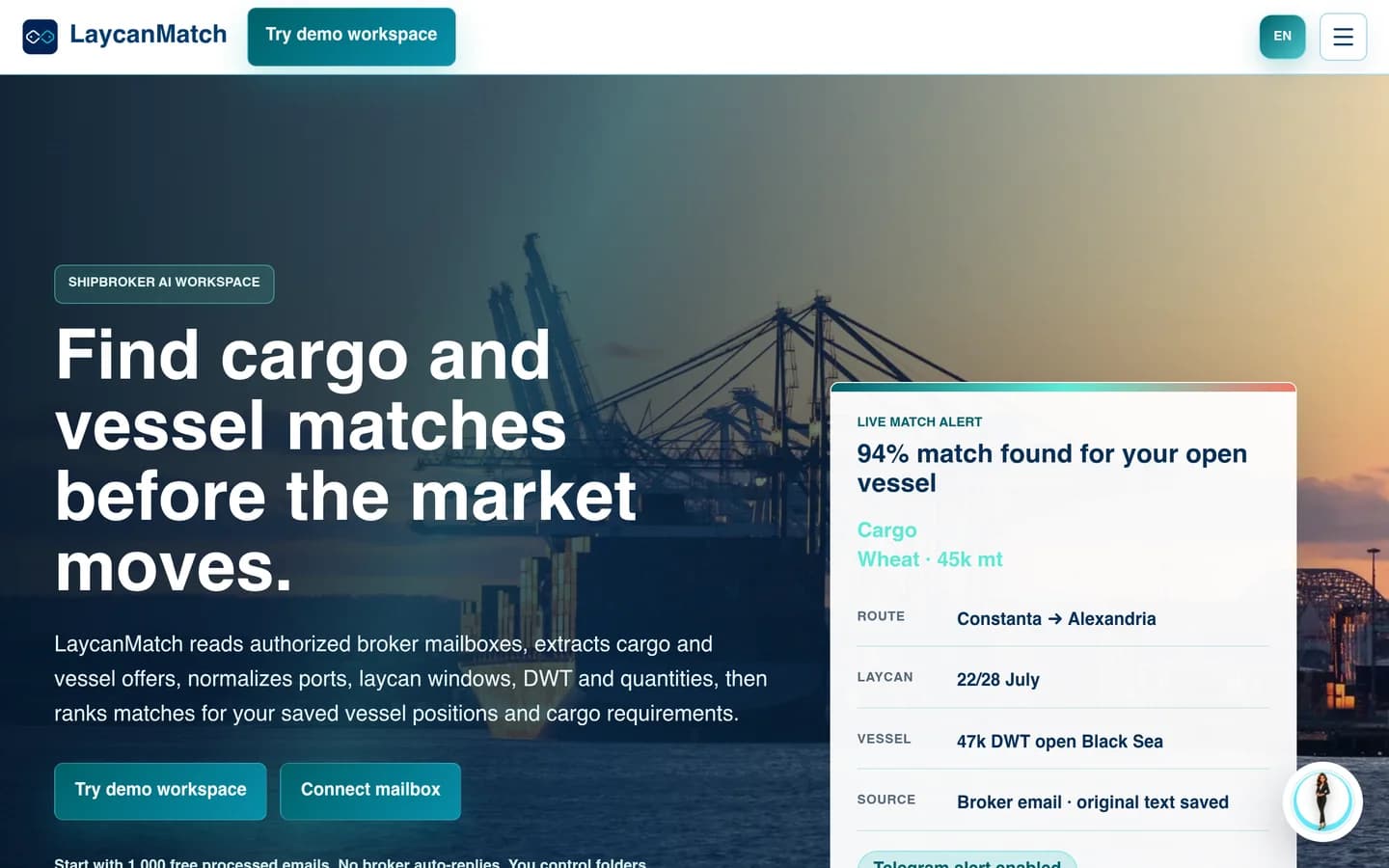
Public product page: LaycanMatch
Public product page · LaycanMatch
Explore the product and its workflow ↗

From inbox traffic to a reviewable shortlist

When the useful information is scattered across emails, the first task is to turn messages into records people can work with.

  1. Input

    Selected broker emails and circulars.

  2. Automation

    Extract cargo and vessel fields; rank possible matches.

  3. Human review

    Check uncertain fields against the source email.

  4. Output

    Searchable offers and a shortlist for the broker.

A useful first test for your business

For a similar process, start with an anonymized sample of clear, incomplete and duplicate messages. Agree which fields matter and which cases must go to a person.

The boundary: A match is a candidate, not a commercial decision. Negotiation and fixture approval stay outside this workflow.

02 / Own YAS product

InvoKsef

invoksef.com
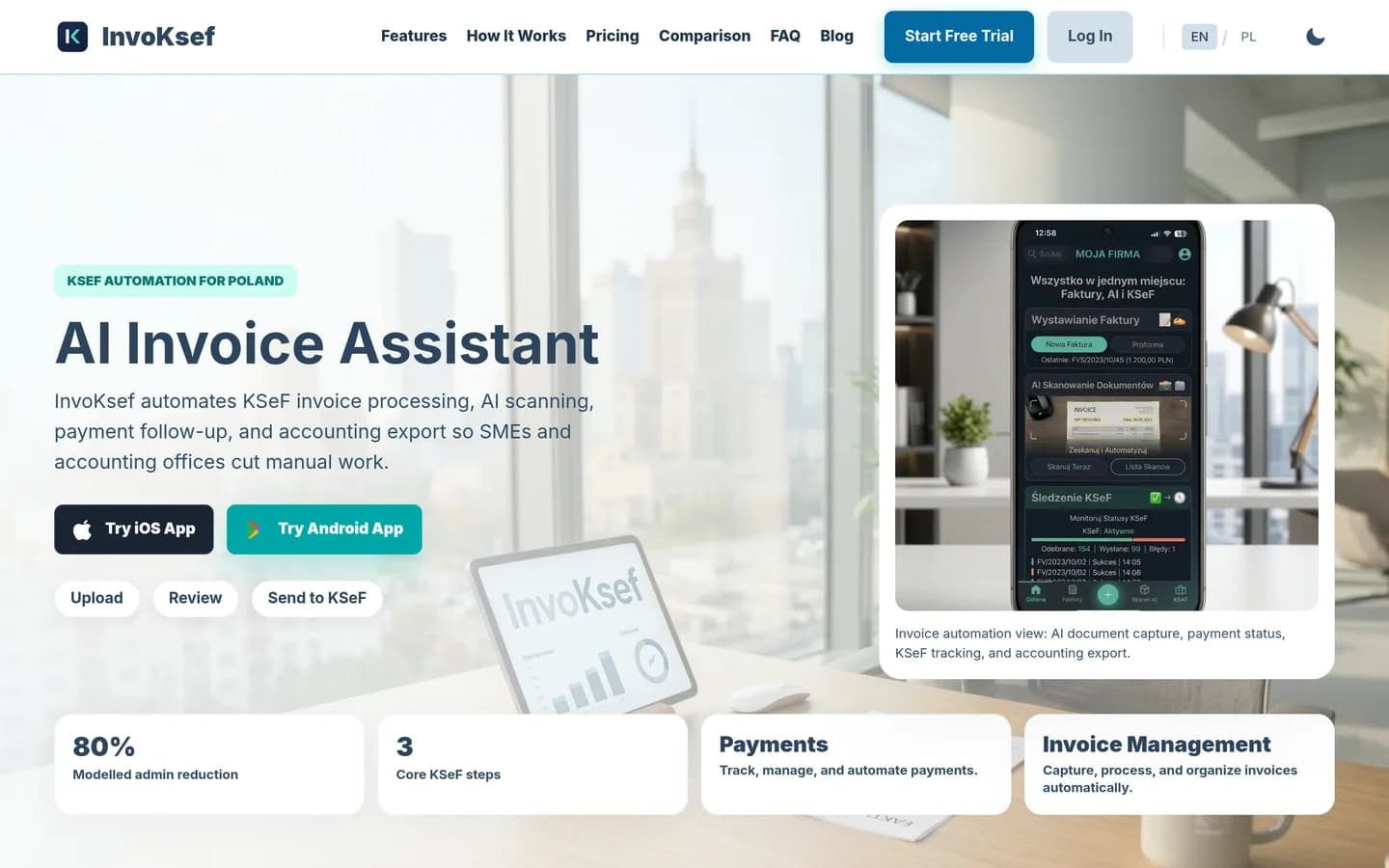
Public product page: InvoKsef
Public product page · InvoKsef
Explore the product and its workflow ↗

From a document to reviewed invoice data

Document automation needs more than text extraction: someone must catch missing details before the next system relies on them.

  1. Input

    Invoice PDFs, photos or created invoices.

  2. Automation

    Extract invoice fields for review.

  3. Human review

    Review extracted values before sending.

  4. Output

    Invoice records, KSeF status and accounting export.

A useful first test for your business

For your document flow, choose one document type and destination first. Test missing fields, uncertain values and failed handoffs before widening the scope.

The boundary: Extraction is not an accounting decision or a compliance guarantee. Company-specific rules and permissions need separate validation.

03 / Own YAS product

My UGC Studio

myugc.studio
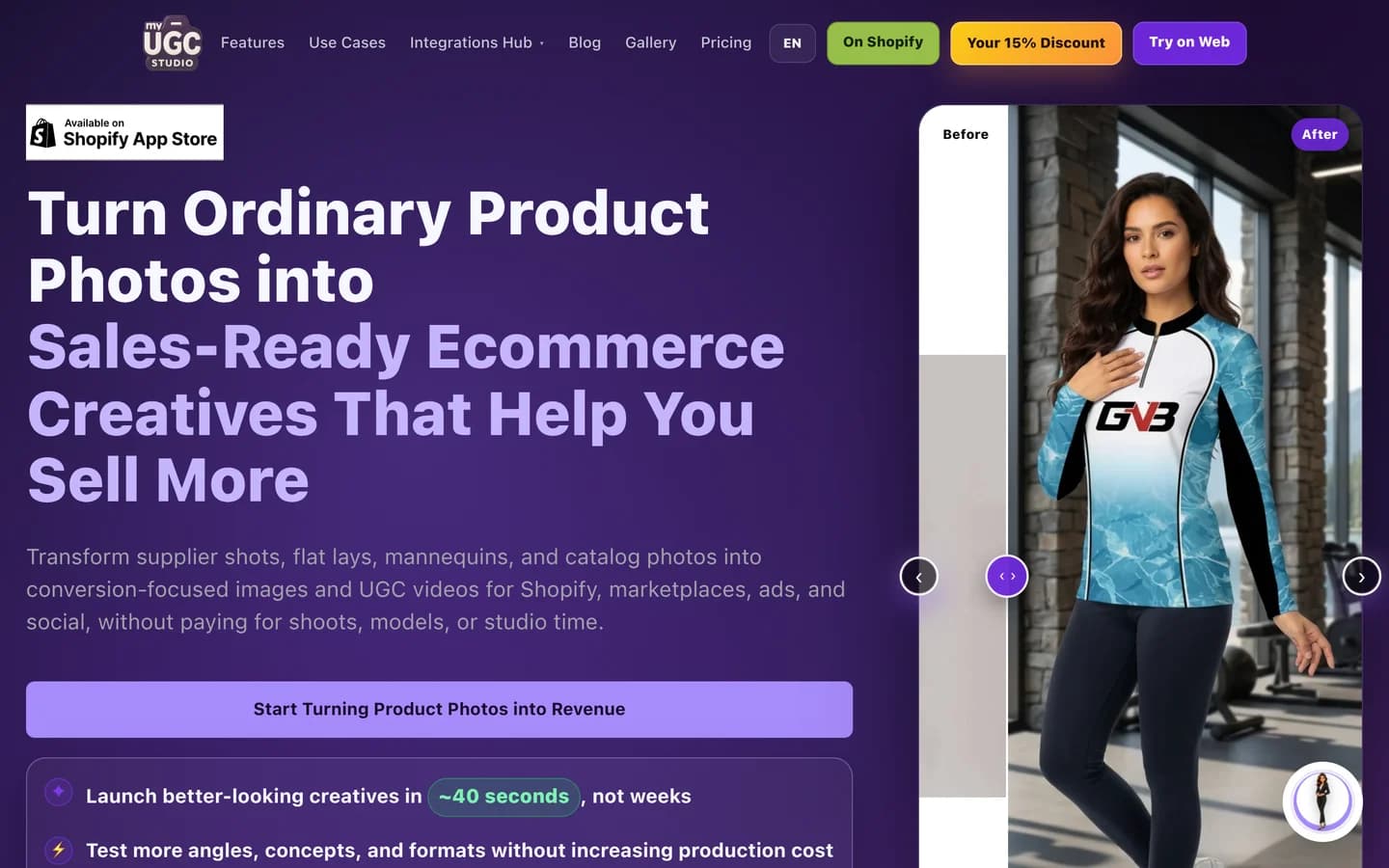
Public product page: My UGC Studio
Public product page · My UGC Studio
Explore the product and its workflow ↗

From a product photo to a reviewed creative

A repeatable content process needs a clear brief, reusable inputs and a quality check — not just a generate button.

  1. Input

    A product photo and a chosen creative direction.

  2. Automation

    Generate product imagery or UGC-style video variants.

  3. Human review

    Check product appearance, labels and brand fit.

  4. Output

    Creative assets for a listing or campaign.

A useful first test for your business

For a similar workflow, pick one product category and channel. Define acceptable outputs and review reasons before connecting generation to publishing.

The boundary: An AI-generated asset is not a real customer testimonial. Output still needs review; it does not prove a sales uplift.

About the older case archive

Older case URLs remain available. Client stories will be published separately when their scope, permission and results can be substantiated. These product examples do not imply those client outcomes.

Which process keeps your team busy?

Describe the recurring work, the tools you use and what should change. We can decide what is worth automating first — and what should stay with a person.